Bigfoot.js setup
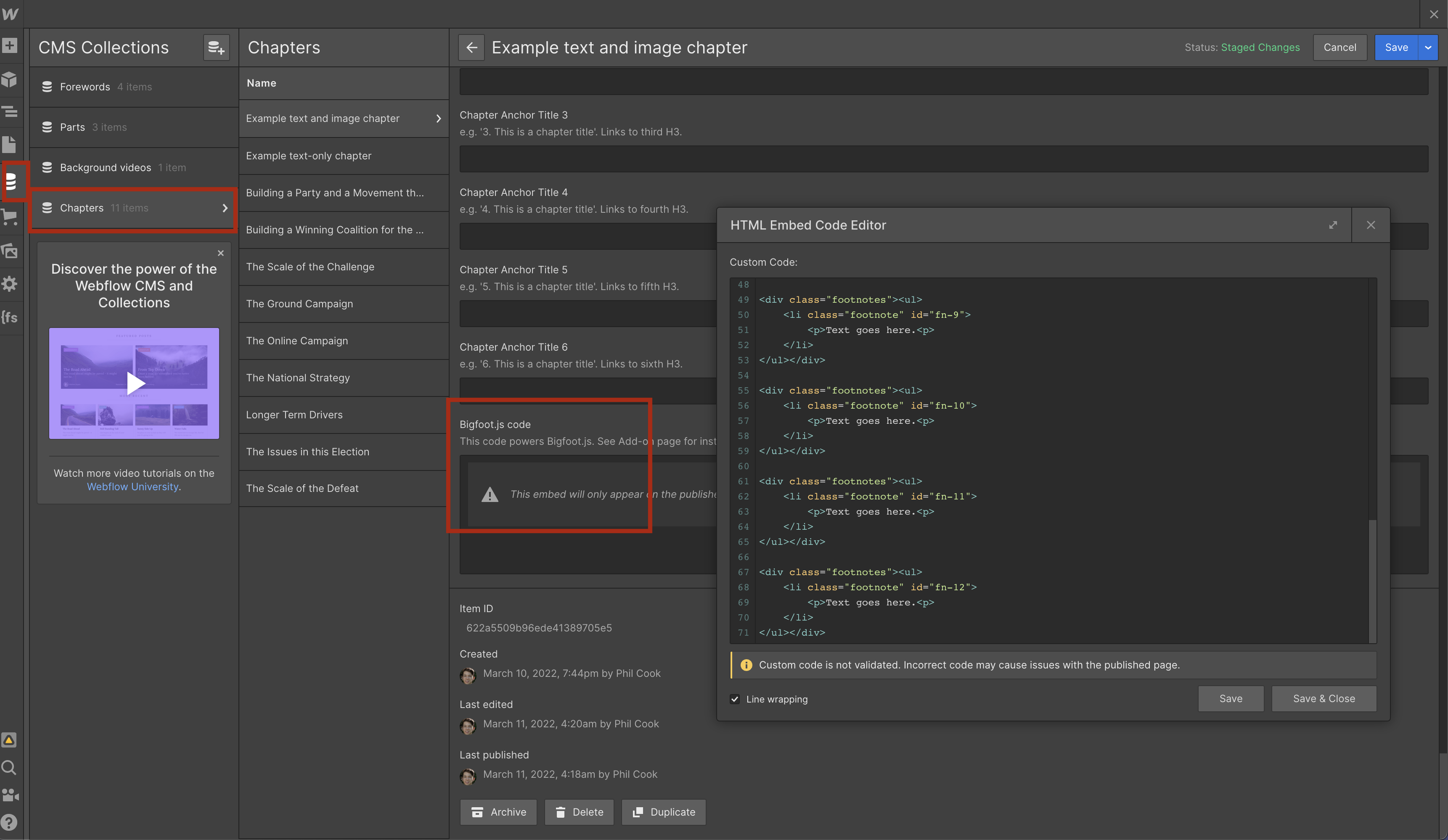
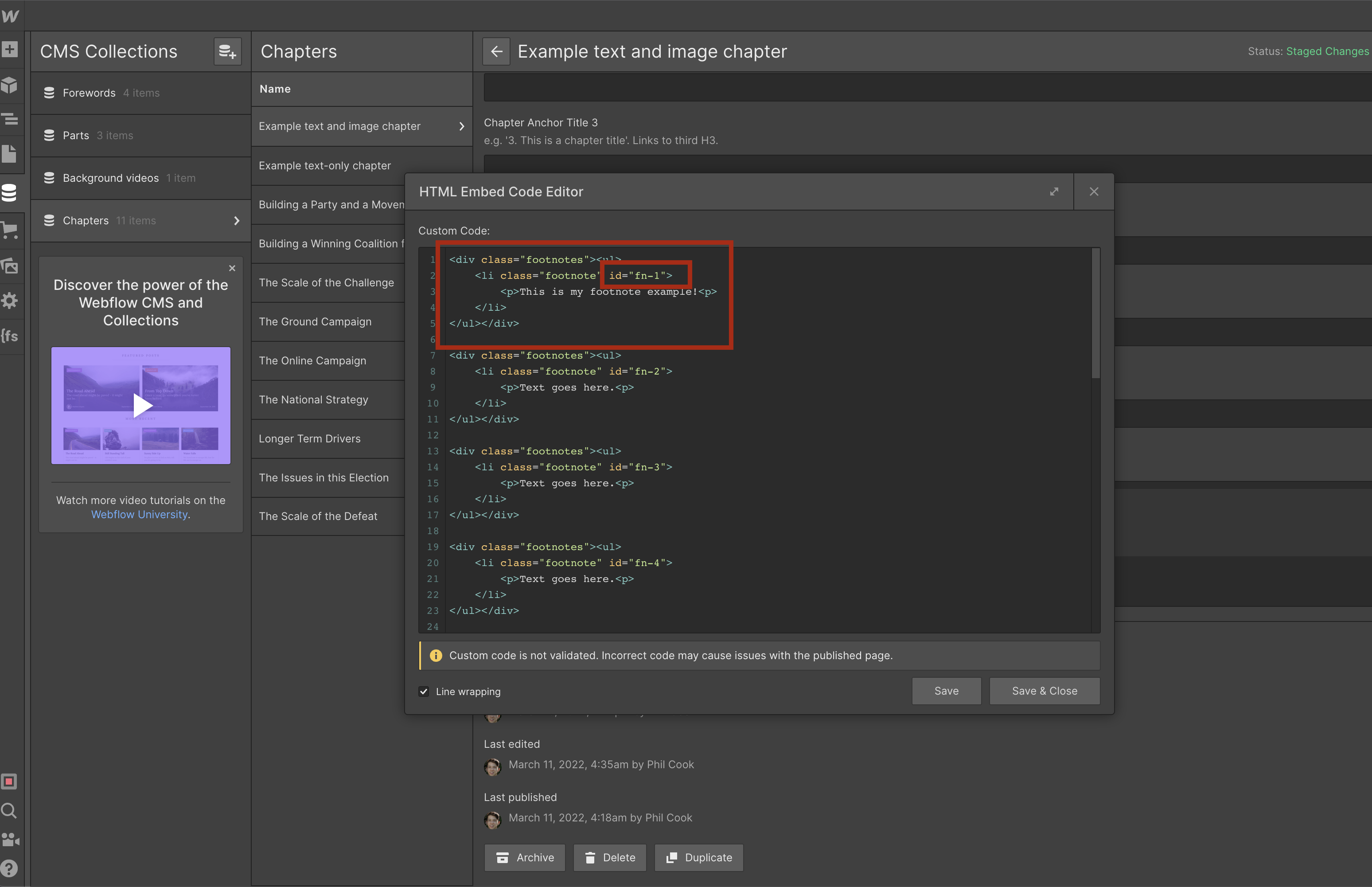
Step 1. Copy and paste this code into an embed element in the 'Bigfoot.js code' field of your CMS item.
Note: To create an embed element, click the blank space inside the 'Bigfoot.js code' field and click the <> icon.
<li class="footnote" id="fn-1">
<p>Text goes here.<p>
</li>
</ul>
</div>
<div class="footnotes"><ul>
<li class="footnote" id="fn-2">
<p>Text goes here.<p>
</li>
</ul>
</div>
<div class="footnotes"><ul>
<li class="footnote" id="fn-3">
<p>Text goes here.<p>
</li>
</ul>
</div>
<div class="footnotes"><ul>
<li class="footnote" id="fn-4">
<p>Text goes here.<p>
</li>
</ul>
</div>
<div class="footnotes"><ul>
<li class="footnote" id="fn-5">
<p>Text goes here.<p>
</li>
</ul>
</div>
<div class="footnotes"><ul>
<li class="footnote" id="fn-6">
<p>Text goes here.<p>
</li>
</ul>
</div>
<div class="footnotes"><ul>
<li class="footnote" id="fn-7">
<p>Text goes here.<p>
</li>
</ul>
</div>
<div class="footnotes"><ul>
<li class="footnote" id="fn-8">
<p>Text goes here.<p>
</li>
</ul>
</div>
<div class="footnotes"><ul>
<li class="footnote" id="fn-9">
<p>Text goes here.<p>
</li>
</ul>
</div>
<div class="footnotes"><ul>
<li class="footnote" id="fn-10">
<p>Text goes here.<p>
</li>
</ul>
</div>
<div class="footnotes"><ul>
<li class="footnote" id="fn-11">
<p>Text goes here.<p>
</li>
</ul>
</div>
<div class="footnotes"><ul>
<li class="footnote" id="fn-12">
<p>Text goes here.<p>
</li>
</ul>
</div>
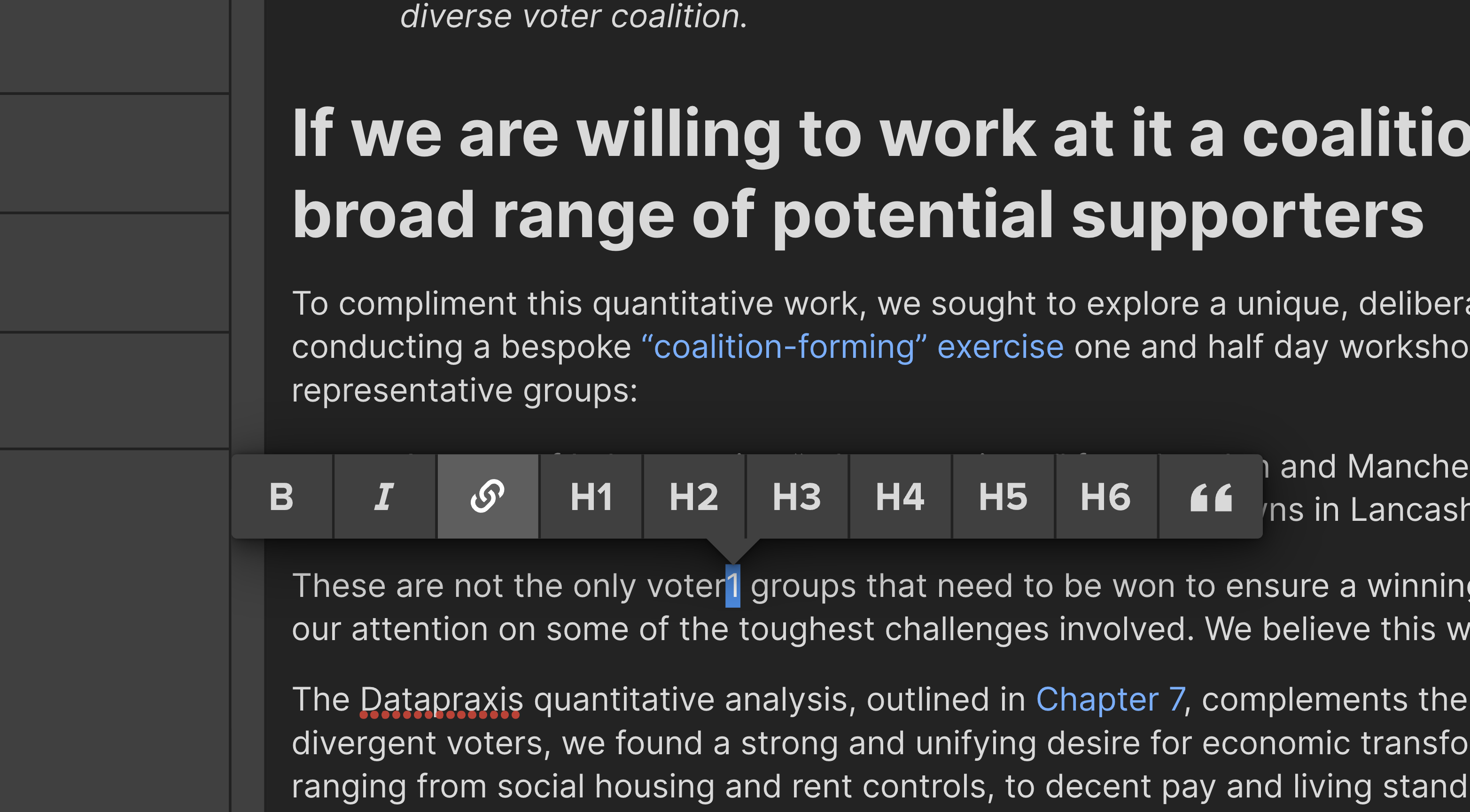
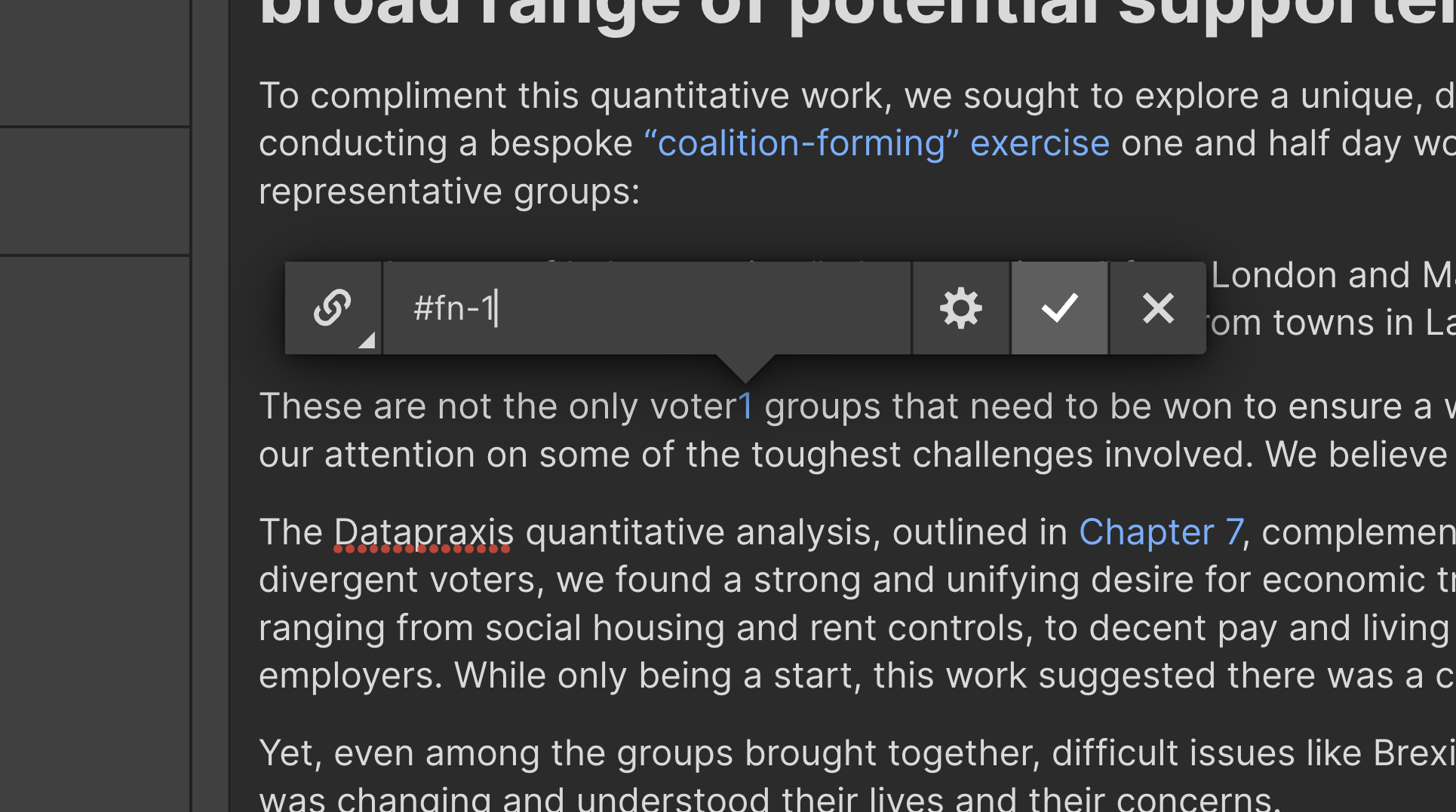
Step 2. Add a numbered text link to any rich-text location where you'd like a footnote to appear. Point this link to #fn-1 (first footnote). For each footnote you add, increase this number sequentially, e.g. #fn-2, #fn-3, #fn-4 etc.
Step 3 (final step!). Edit the code block you pasted above (in the 'Bigfoot.js code' field) -- all you need to update is the 'Text goes here.' content in the corresponding #fn block.
When you add your first footnote, edit the text in the #fn-1 div. When you add your second footnote, edit the text in the #fn-2 div. There are 12 divs (i.e. 12 footnotes).
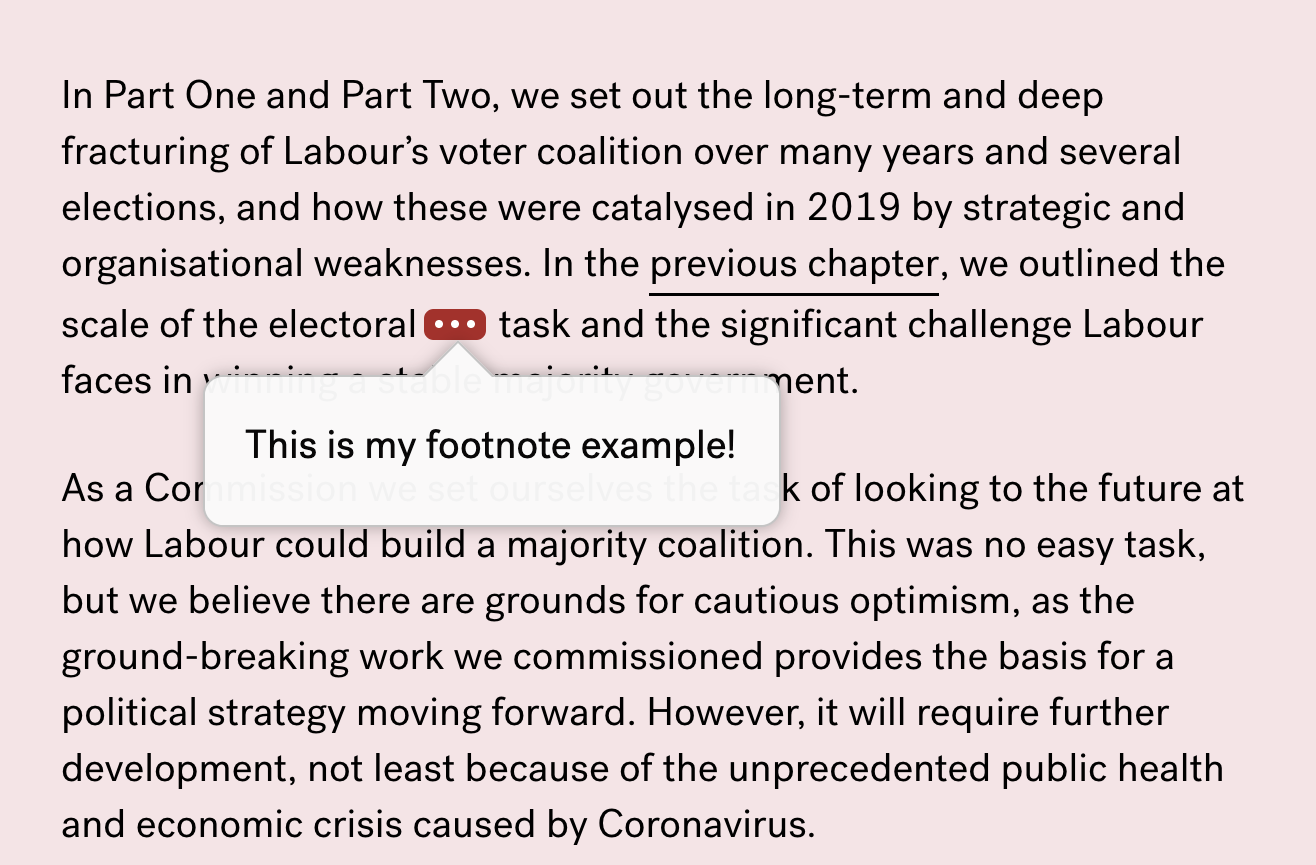
Your footnote should appear like this as soon as you publish the website: